
The single most effective upgrade for a small room desk costs nothing: move everything off the desk surface that does not need your hands on it right now.
When your room is small, your desk acts as a visual focal point. If your desk is cluttered, the entire room looks full. You lose working area, your mouse catches on loose charging cords, and your surface area disappears under monitor stands and mugs. A small desk does not need more accessories. It needs ruthless spatial management.
We ranked the most effective small-space setup upgrades by what they actually cost to implement, starting with zero-dollar adjustments and moving up to hardware replacements.
Tier 1: The $0 Upgrades (Rearrange and Purge)
You can reclaim several square inches of usable surface without spending a single dollar. Most desks in small rooms fail because they hold items that belong elsewhere.
1. Dock the PC Tower Against an Outside Wall or Floor Leg
A mid-tower PC case takes up roughly 18 by 8.5 inches of space. On a 48-inch desk, that case eats nearly 20 percent of your total width. Move the case to the floor on a hard riser or slide it against the outside edge of a desk leg. If you have carpet, place a piece of wood or an old shelf insert under the case feet to keep the intake vents clear.
2. Route Cables Along Existing Framework
Dangling wires make a narrow room feel chaotic. Collect the twist ties, velcro strips, or painter tape you already own. Group your monitor power, display cables, and peripheral wires into a single line. Tape or strap them tightly against the back of the desk legs so they disappear from your direct sightline.
3. Strip the Surface Down to Four Essentials
In a tight room, keep only four objects on the top plane: your screen, keyboard, mouse, and one beverage spot. Notebooks, controllers, headphones, and backup drives belong in drawers or on wall hooks. The first week you work with an empty perimeter, you will notice your desk feels twice as wide.
Tier 2: The Under-$30 Upgrades (Surface Clearers)
Small investments under thirty dollars focus on moving secondary items below the desk plane and defining your working zone.
Under-Desk Adhesive Hooks ($8 to $12)
Headphones take up roughly 7 by 7 inches when laid flat on a desk. A simple stick-on silicone hook mounted under the front or side edge removes the headset entirely from your working surface. You reach down to grab it, but it never crowds your mouse path.
Adhesive Cable Raceways ($15 to $20)
A plastic cable channel fixed to the underside rear of your desktop hides power bricks, USB hubs, and excess wire length. Keeping power strips off the floor also frees up legroom, which makes moving your chair in a cramped space significantly easier.
A Defined Desk Mat ($20 to $35)
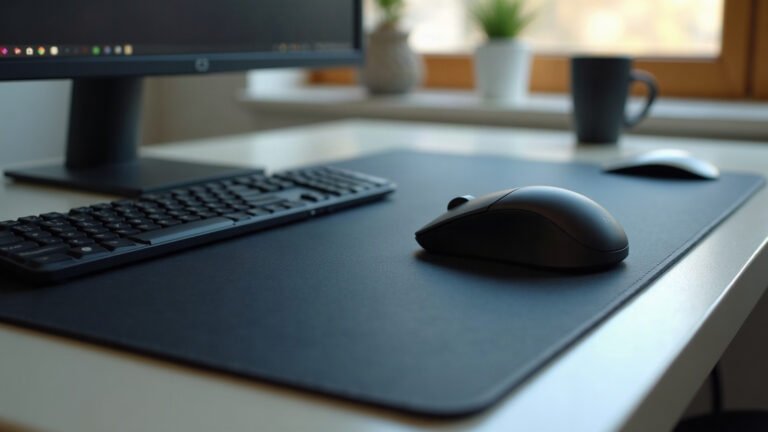
Instead of using separate mouse pads, coasters, and wrist rests that visually slice up a small table, use a single desk mat to anchor your hardware. A 31.5 by 15.5 inch mat creates a clean boundary on a compact 40-inch or 48-inch desk. Our mats use a 3 mm natural rubber base with a smooth 100% polyester fabric top and hemmed edges that stay flat against your surface without curling.
Tier 3: The $30 to $100 Upgrades (Floating Your Hardware)
This tier delivers the largest functional return on investment. If you have budget for only one paid upgrade, choose an item from this category.
Single-Pole Monitor Arm ($35 to $60)
Stock monitor stands are notoriously wide. A standard 27-inch display stand often claims a footprint of 10 by 9 inches directly in the center of your desk. A basic desk clamp monitor arm mounts to the rear lip and suspends the display in the air, returning that entire center footprint back to you. You can slide your keyboard completely out of the way when writing by hand.
Vertical Laptop Stand ($20 to $30)
If you run an external monitor from a laptop, keeping the laptop open on your desk burns 14 by 10 inches of space. A gravity-clamp vertical stand holds the closed machine upright along the back edge, shrinking its desk footprint to just 4 inches wide.
Vertical Wall Anchors ($25 to $50)
When horizontal square footage is limited, build upward. A single mounted pegboard or narrow floating shelf above the monitor holds controllers, hard drives, and stationery. Pairing functional wall storage with simple wall art gives the room visual depth and draws the eye upward instead of focusing on tight corners.
Tier 4: The $100+ Upgrades (Dimensions That Fit the Room)
If your current furniture is fundamentally too large for your floor plan, small accessories can only do so much. These two swaps solve structural layout issues.
A Shallow-Depth Desk ($100 to $180)
Standard office desks measure 30 inches deep. In a small bedroom, a 30-inch desk eats into walking paths and blocks closet doors. A desk measuring 48 inches wide by 24 inches deep (or 40 by 20 inches) preserves your walking lanes while still providing plenty of workspace when combined with a monitor arm.
A Low-Profile, Armless or Flip-Arm Task Chair ($90 to $150)
Bulky gaming chairs and wide executive chairs with fixed armrests rarely tuck under the desk. They sit permanently out in the middle of the room, blocking floor space. Choose a compact task chair with arms that flip upward so the chair pushes completely flush against the desk frame when your workday ends.
Small Room Upgrades Compared
| Upgrade Item | Typical Cost | Desk Area Gained | Installation Time |
|---|---|---|---|
| Cable Tying & PC Floor Move | $0 | ~1.5 sq ft | 20 minutes |
| Under-Desk Headphone Hook | $10 | ~0.4 sq ft | 2 minutes |
| Single Desk Mat | $25 – $35 | Visual consolidation | 1 minute |
| Desk Clamp Monitor Arm | $40 – $60 | ~0.8 sq ft | 25 minutes |
| Vertical Laptop Dock | $25 | ~0.7 sq ft | 1 minute |
| Shallow Desk Swap (24″ deep) | $120+ | Reclaims room floor | 1 hour |
Ordering Considerations for Tight Spaces
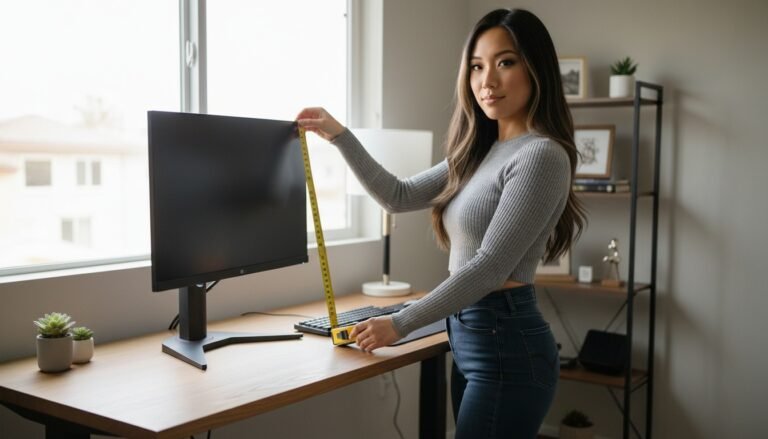
Before purchasing hardware or accessories for a small room, measure twice. Ensure your desk has a rear lip overhang of at least 2 inches if you plan to install a clamp-on monitor arm. If your desk backing is flush or closed, you will need a grommet mount instead.
For desk mats and surfaces, check your exact tabletop width. A 35.4 by 15.7 inch mat fits a 48-inch desk with clean margins on both sides, while a smaller 31.5 by 15.5 inch mat is better suited for 40-inch tops.
Every order at MousePady ships free within the United States. International delivery is flat rate from $7.95, or free worldwide on orders over $99. Because each item is printed to order, production takes 2 to 5 business days, extending up to 10 days during peak holiday periods.
We stand behind print accuracy and condition. If your item arrives damaged, misprinted, or defective, send a clear photo within 30 days for an immediate free replacement or full refund without returning the original product. We do not offer change-of-mind exchanges, so measure your desk dimensions carefully before picking your size.
Your Next Step
Grab a tape measure right now. Note down the exact width and depth of your desk surface, then disconnect and bundle every loose cable currently resting on top of it.
Specifications come from our suppliers’ published data. Where we link to gear we do not make, those links may earn us a commission at no extra cost to you.

Leave a Reply