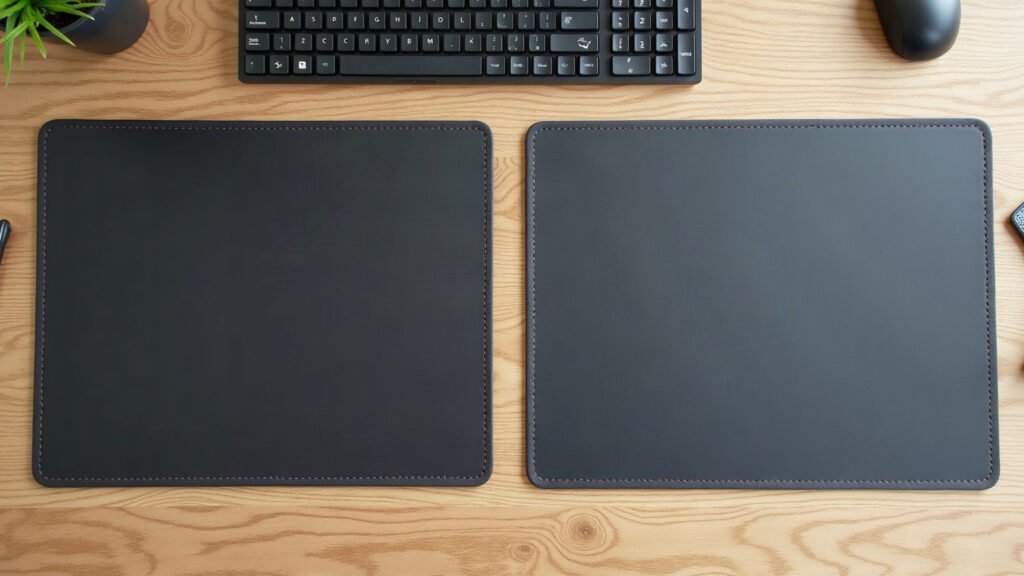
A 3mm desk mat gives you a flat, uniform glide for fast mouse movements, while a 4mm mat adds physical heft to smooth over textured wood grain and desk seams.
Most people buy a desk mat based on the print and never check the thickness spec. Then the parcel arrives. On a smooth laminate top, a thin mat feels seamless. On an old pine table with an open knot or a cable grommet edge, that same thin rubber dips under pressure. That single millimetre between 3mm and 4mm alters weight, edge height, and how the rubber base handles desk flaws.
The first week you use the right thickness, you will catch yourself forgetting the mat is even there while you work.
The Physical Difference Between 3mm and 4mm
Natural open-cell rubber is the core of most modern fabric mats. A 3mm build uses a high-density rubber sheet bonded to a polyester micro-weave top. A 4mm build adds one extra millimetre of that same rubber compound. That single millimetre increases the total weight of a standard 900x400mm mat by roughly 25 to 30 percent.
That extra mass changes two things immediately: how flat the mat lies straight out of the box, and how much it resists moving under heavy forearm shifts. A 3mm mat weighs around 650 grams. A 4mm mat of the same surface area weighs close to 850 grams. Extra weight pulls the edges down faster, which counters the curve left behind from shipping tubes.
How Desktop Surfaces Change the Feel
Your desk material matters more than personal preference. A mat does not sit in isolation. It conforms to whatever sits beneath it.
Smooth laminate, glass, and sealed veneer
Flat, modern desks need very little compensation. If you work on an IKEA particle board top or tempered glass, the surface is already true within fractions of a millimetre.
On these tops, a 3mm mat is ideal. The lower profile means your forearm crosses the stitched edge without a tall step. Optical mouse sensors stay at a consistent height because the rubber does not compress under the base of your mouse when you bear down during fast tracking.
Solid timber, butcher block, and split-top standing desks
Solid wood desks have texture. Knot holes, natural grain dip, and seams between joined boards create micro-valleys. Split-top standing desks are even trickier, because the seam where the two desktop halves meet often has a 0.5mm height mismatch.
A 3mm mat will telegraph those seams straight through to your mouse sensor. Run your hand across a 3mm mat over a board join and you will feel the line. A 4mm mat bridges those gaps. The thicker rubber base absorbs the texture below, keeping the fabric top completely flat.
Comparing 3mm and 4mm Specifications
Here is how the two builds compare across standard workspace measurements:
| Feature | 3mm Thickness | 4mm Thickness |
|---|---|---|
| Average Weight (900x400mm) | 620g – 680g | 820g – 890g |
| Edge Step Height | Low profile (flush transition) | Slightly raised border |
| Desk Flaw Bridging | Transfers grain and seams | Bridges gaps up to 1mm |
| Roll Memory Out of Box | Flattens in 24–48 hours | Flattens in 12–24 hours |
| Travel and Portability | Rolls tight into bags | Bulky when rolled |
| Sensor Consistency | Very stiff, zero plunge | Minor plunge under heavy force |
Mouse Tracking and Sensor Consistency
Optical mouse sensors read the weave of the fabric top thousands of times per second. They rely on a fixed distance between the sensor lens and the tracking thread.
When you click down hard or rest the heel of your palm on a mouse, you apply downward pressure. On a 3mm mat, the rubber resists compression. The mouse feet stay on top of the weave. Your sensor height does not shift, which keeps tracking distance identical whether you move light or press down.
On a 4mm mat, soft-compound rubber can compress slightly under small mouse skates. If you use small PTFE dots rather than wide corner skates, the mouse can sink fractions of a millimetre into the surface when you bear down. For daily work and casual gaming, this difference is imperceptible. For low-DPI precision tracking with a lightweight mouse, the firmer foundation of a 3mm base gives cleaner data.
Edge Stitching and the Forearm Transition
Thickness also determines what happens at the boundary of your mat. Most durable desk mats feature dense perimeter stitching to stop the polyester top from peeling away from the rubber core.
That stitch sits slightly higher than the mat surface. On a 3mm mat, the total edge height is roughly 3.2mm. When your wrist rests across the border, the edge feels flat against the desk surface. On a 4mm mat, the stitch sits closer to 4.3mm. If your chair sits low relative to your desk height, that taller border presses more firmly against the underside of your arm.
How to Choose in Three Steps
- Run your bare palm across your desk. If you feel board joins, deep grain, or cable cutout edges in your primary mouse area, pick 4mm. If the top is flat laminate or glass, pick 3mm.
- Check your mouse skate size. If you use standard factory mouse feet or wide glass skates, either thickness works. If you use tiny aftermarket dot skates, stick with 3mm to prevent base compression.
- Decide if you travel with your setup. A 3mm mat rolls into a 50mm diameter cylinder that slides into a backpack pocket. A 4mm mat rolls to nearly 75mm and resists tight bending. If your workspace stays put, the extra weight of 4mm anchors your desk.
Size and Ordering Specifics
Thickness is only half the equation; getting the dimensions wrong is the most common reason a mat looks out of place. Measure your desk width with a tape measure before ordering. A standard 900x400mm surface leaves room for a full-size keyboard and 400mm of mouse travel.
Because every mat is printed and assembled on demand, production takes 2 to 5 business days before dispatch, stretching up to 10 days during peak seasonal periods. Standard shipping is completely free within the United States on every order. International shipping is a flat rate starting at $7.95, and ships free worldwide on orders over $99.
If your mat arrives misprinted, damaged, faulty, or is lost in transit, take a quick photo and contact us within 30 days. We send a free replacement or issue a full refund without requiring you to return the original item.
What to Do Next
Grab a tape measure right now. Measure the open area between your monitor stand and the front edge of your desk, check your surface for seams, and choose the thickness built for your desktop material.
Specifications come from our suppliers’ published data. Where we link to gear we do not make, those links may earn us a commission at no extra cost to you.



Leave a Reply