
Wrist ache at a desk is almost always a height problem, not a missing accessory.
When your forearm sits at the wrong angle to your desktop, your hand bends upward or twists inward to compensate. You can buy every gel rest and split keyboard on the market, but if your elbow sits two inches below your desktop edge, your wrist will stay bent under load for eight hours a day.
Before you spend money on specialised hardware, look at the physical geometry of your arms, your chair, and your desk edge.
The Anatomy of Neutral Wrist Position
In biomechanics, a neutral wrist is straight. The top of your hand forms a continuous flat plane with your forearm. Your tendons pass through the carpal tunnel without bending around bone or resting on hard corners.
Desk setups break this neutral alignment in three distinct ways:
- Extension: Your hand bends upward toward your knuckles. This happens when your keyboard sits propped on angled feet or your desk surface is too high.
- Flexion: Your hand bends downward toward your palm. This occurs when your chair is cranked too high and you reach down to your peripherals.
- Ulnar and radial deviation: Your hand twists outward toward your pinky or inward toward your thumb. This happens when your keyboard is too narrow for your shoulder width or your mouse sits too far to the right.
Holding any of these non-neutral angles while clicking or typing creates sustained mechanical tension. The fix starts by identifying which myth you are currently relying on.
Myth 1: You Need a Soft Gel Wrist Rest
The standard raised gel wrist rest is one of the most common desk accessories sold. It is also frequently misunderstood.
When you rest your actual wrist on a raised pad while typing, the pad presses directly against the carpal tunnel on the underside of your joint. That pressure transfers straight into the median nerve and flexor tendons. Furthermore, planting your wrist in one spot forces you to pivot your hand left and right from the joint rather than moving your entire arm from the elbow and shoulder.
If you use a palm rest, place the heel of your hand on it during pauses between typing. Do not anchor your wrist joint to it while fingers are actively moving across the keys.
Myth 2: Angling Your Keyboard Upward Helps Your Hands
Almost every standard keyboard has small plastic feet underneath the back edge. Flipping those feet up tilts the keys toward your eyes, which makes the key legends easier to see from a distance. It also forces your wrists into backward extension.
When a keyboard tilts up, your fingers must climb a hill. To reach the top row, you have to cock your wrist backward. Keep the keyboard feet folded flat against the chassis. If your desk height allows it, a completely flat or slightly negative tilt (where the spacebar sits higher than the function row) keeps the wrist joint in a straight line.
Myth 3: An Ergonomic Mouse Automatically Fixes Bad Aim
Vertical mice and trackballs change the rotation of your forearm bones from pronated (palm down) to semi-supinated (handshake position). For some desk setups, this rotation reduces forearm torsion. However, a vertical mouse does not solve poor movement habits.
If you anchor your wrist bone onto the hard desk surface and sweep your mouse back and forth using only wrist deviation, you will experience strain regardless of the mouse shell shape. Fluid desk movement requires moving from the elbow and shoulder, letting your hand glide across the surface rather than pivoting on a single pressure point.
Three Zero-Cost Adjustments to Make Today
You can correct most wrist angle issues in five minutes using the furniture you already own.
- Level your elbows with your desk surface. Adjust your chair height so that when your shoulders are relaxed, your elbows form a 90-to-100-degree angle and your forearms rest parallel to the floor. If your feet no longer sit flat on the floor after raising your chair, place a solid box or footrest under your feet.
- Bring your mouse and keyboard closer. Reaching forward pulls your elbows away from your torso and drops your forearms onto the sharp 90-degree front edge of your desk. Slide your peripherals closer so your upper arms hang naturally beside your ribs.
- Push your pivot point back to your forearm. Stop resting the soft base of your palm directly on the desk edge. Rest the meat of your forearm on the desk surface instead, or keep your arms floating while typing.
Comparing Setup Habits and Physical Angles
| Desk Habit | Joint Position | Correction |
|---|---|---|
| Keyboard rear feet extended | Wrist extension (bent upward) | Fold feet flat; keep board level |
| Chair too low relative to desk | Sharp contact on desk lip | Raise chair; add foot support |
| Planting wrist on desk to mouse | Ulnar deviation (side pivot) | Move entire arm from the elbow |
| Reaching forward for mouse | Shoulder roll and arm tension | Bring mouse level with keyboard |
The Role of Your Desk Surface
Once your chair and desk heights are aligned, the tactile surface of your workspace determines how easily your forearms move across the desk.
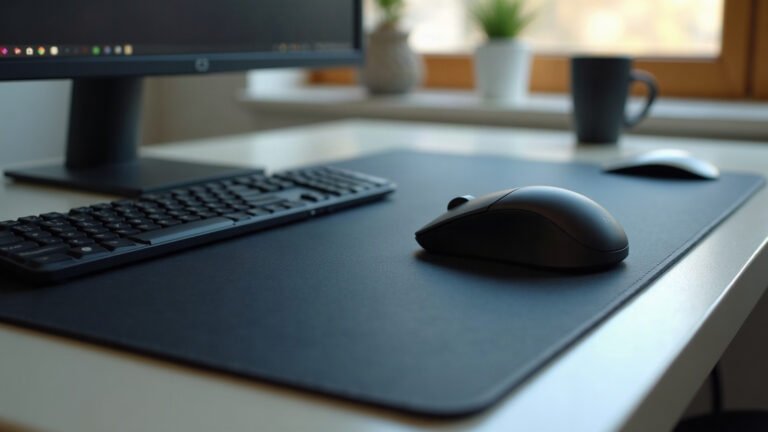
A bare laminate or hardwood desk has a sharp, hard right-angle front edge. When you rest your forearms on it, that edge creates a focused line of contact pressure against your skin. A large surface like our desk mats covers that transition with a continuous 3 mm or 4 mm natural open-cell rubber base topped with micro-woven polyester. A smooth fabric top provides consistent glide so your arm moves as a single unit instead of sticking to polished varnish or cold glass.
If you prefer a smaller footprint dedicated purely to tracking, standard cloth mouse pads offer the same non-slip natural rubber base and anti-fray perimeter stitching without covering the keyboard area.
What to Check Before You Buy Anything
Before buying new desk gear, measure your setup. Check your seated elbow height from the floor with a tape measure. Compare that number to the top surface of your desk. If there is a gap of more than an inch, chair height adjustment is your primary fix.
If you decide to refresh your surface, every made-to-order mat ships free in the United States, with flat-rate shipping from $7.95 internationally (and free worldwide over $99). Production takes 2 to 5 business days before dispatch. Under our print guarantee, if an item arrives damaged, misprinted, or defective, send a photo within 30 days for a free replacement or a full refund without needing to return the original item.
Set your heights first, flatten your keyboard, and keep your joints straight.
Lana is MousePady’s brand character — an AI-generated persona created and written by us, not a real person and not a real reviewer. Specifications come from manufacturer data.


Leave a Reply