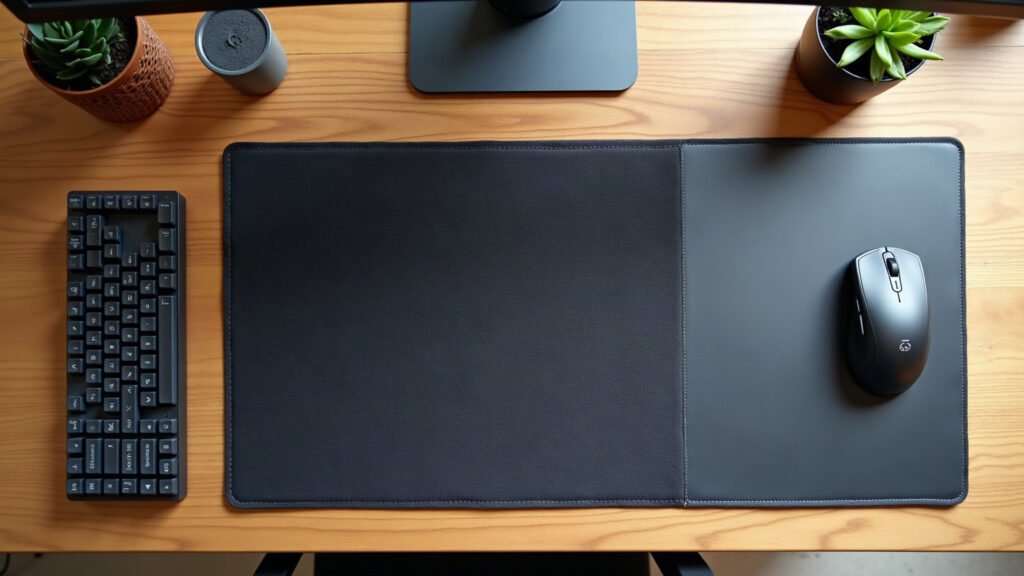
The single genuine difference between a gaming desk mat and an office desk pad comes down to surface friction and optical tracking consistency.
Look at your desk right now. If your mouse cursor stutters across a faux leather blotter, or your keyboard creeps forward whenever you type with weight, your desktop surface is causing friction with your hardware. Many people buy a thirty-dollar polyurethane desk pad because it looks tidy in workspace photos. Within three weeks, the raw edges start separating, or the smooth finish creates enough surface drag that small cursor movements feel sluggish.
Choosing the wrong surface leads to real annoyance. A pad that shifts under your palms requires constant repositioning, and an abrasive or uneven surface wears down the virgin-grade PTFE feet underneath your mouse twice as fast as necessary. Understanding the engineering differences between these two products prevents wasted money on disposable desktop covers.
The Core Difference: Surface Materials and Sensor Tracking
An office desk pad is designed primarily for visual organisation and pen-to-paper writing. Common office pad materials include:
- Polyurethane (PU) Faux Leather: Smooth, non-porous, and water-resistant. However, optical mouse sensors rely on microscopic surface texture to calculate movement. Shiny or overly uniform PU leather reflects sensor infrared beams inconsistently, causing cursor jitter and tracking loss during rapid hand movements.
- Felt and Wool: Visually warm and soft to the touch. Unfortunately, wool fibres create high kinetic friction against mouse skates, collect desk debris, and shed lint directly into the mouse sensor lens cavity.
- Hard PVC Plastic: Rigid and easy to clean, but creates a slick surface with zero stopping power, causing fine cursor adjustments to drift.
A dedicated gaming desk mat uses a high-density, micro-woven polyester cloth. The weave provides microscopic hills and valleys that optical sensors read reliably across both low and high dots-per-inch (DPI) settings. The weave balance offers low initial friction to start moving the mouse, combined with enough dynamic friction to stop precisely on a specific pixel or spreadsheet cell.
Comparing Technical Specifications
Here is how standard office desk pads compare directly against micro-weave cloth gaming mats across practical performance metrics:
| Feature | Standard Office Desk Pad | Cloth Gaming Desk Mat |
|---|---|---|
| Surface Material | PU faux leather, wool felt, or PVC | Fine-pitch micro-woven polyester |
| Optical Tracking Accuracy | Low to moderate (sensor jitter on leather) | High consistency across all DPI levels |
| Mouse Skate (PTFE) Wear | Moderate to high (abrasive on felt) | Low friction, uniform wear |
| Base Material | Raw cork, felt backing, or unbacked PU | Textured natural open-cell rubber |
| Base Thickness | Typically 1.2 mm to 2.0 mm | Standard 3.0 mm to 4.0 mm |
| Edge Construction | Raw cut or glued fold-over | High-density anti-fray perimeter stitching |
| Cleaning Method | Damp wipe (leather) or vacuum (felt) | Hand wash with mild soap and water |
Base Construction and Desktop Stability
The underside of a desk cover matters as much as the top surface. Most generic office pads feature a smooth cork backing or a flock of imitation suede. These materials offer minimal grip on smooth surfaces like lacquered oak, polished laminate, or tempered glass. When you lean forward or make broad mouse sweeps, the entire pad slides across the desk.
Gaming desk mats rely on a 3 mm natural open-cell rubber base moulded with a textured herringbone or cross-hatch pattern. The weight of the rubber combined with the mechanical grip keeps the surface planted under continuous lateral palm pressure. We build our desk mats with this exact 3 mm natural rubber foundation, ensuring that neither your keyboard nor your mouse surface shifts during daily work.
Edge Finishing: Stitched Perimeters vs Raw Cuts
How a mat is finished dictates its lifespan:
- Raw cut edges: Most faux leather and felt office pads are cut from bulk rolls using a straight die. The edges have no protective thread. Over months of forearm contact, friction and body oils cause the layers to delaminate and curl upward at the bottom corners.
- Glued hem edges: Some office pads fold the surface material underneath and bond it with adhesive. Over time, heat and pressure break down the glue, creating sticky ridges along the bottom edge.
- Overlocked stitched edges: A gaming mat uses dense edge stitching running around the entire perimeter. The thread locks the fabric top to the rubber base, preventing the cloth from peeling away from the rubber core over years of daily friction.
Which Surface Matches Your Routine?
You do not need a gaming mat simply because of the label, but your daily habits should decide your choice.
Choose an Office Desk Pad If:
- You spend your workday signing physical documents or writing in notebooks with a ballpoint pen.
- You frequently eat meals at your desk and need a surface you can wipe down with a disinfectant wipe in five seconds.
- You use a dedicated trackball mouse or separate compact mouse pad alongside your main writing blotter.
Choose a Gaming Desk Mat If:
- You use an optical mouse for more than four hours a day, whether for gaming, precision photo editing, CAD work, or general navigation.
- You want your keyboard, mouse, and wrists supported across a continuous 3 mm rubberised plane.
- You want edge stitching that will not peel or fray under continuous forearm contact.
Getting the Size and Setup Right
Before ordering any surface, take a tape measure to your usable desk surface. Subtract 5 to 10 cm from the total width of your desktop to ensure the mat does not hang over bevelled desk edges or collide with monitor monitor arms. If you run a compact setup with a separate keyboard tray, a standalone 3 mm cloth mouse pad may be a more practical fit than an oversized desk mat.
The first week you use a proper micro-weave mat, you will catch yourself resting your forearms flat on the surface without having to pull a shifted pad back into position every hour.
Value, Production, and Our Guarantee
Generic office blotters usually cost between $15 and $30 on mass marketplaces, but they often require replacement within six months once their raw edges curl. Mainstream branded gaming rectangles often run from $50 to $80 for plain black nylon.
Every mat we produce is made to order to avoid excess inventory. Production takes 2 to 5 business days, extending up to 10 business days during peak seasonal periods. We offer free shipping across the United States on every order. For international orders, we charge flat-rate shipping from $7.95, which becomes free worldwide on orders over $99.
We back our production with a straightforward print guarantee: if your item arrives damaged, misprinted, faulty, or is lost in transit, contact us within 30 days with a photo for a free replacement or a full refund. We do not require returns on faulty items, and we do not accept change-of-mind returns.
Measure your desk width today, determine your tracking needs, and pick a surface built for how you actually work.
Specifications come from our suppliers’ published data. Where we link to gear we do not make, those links may earn us a commission at no extra cost to you.


Leave a Reply