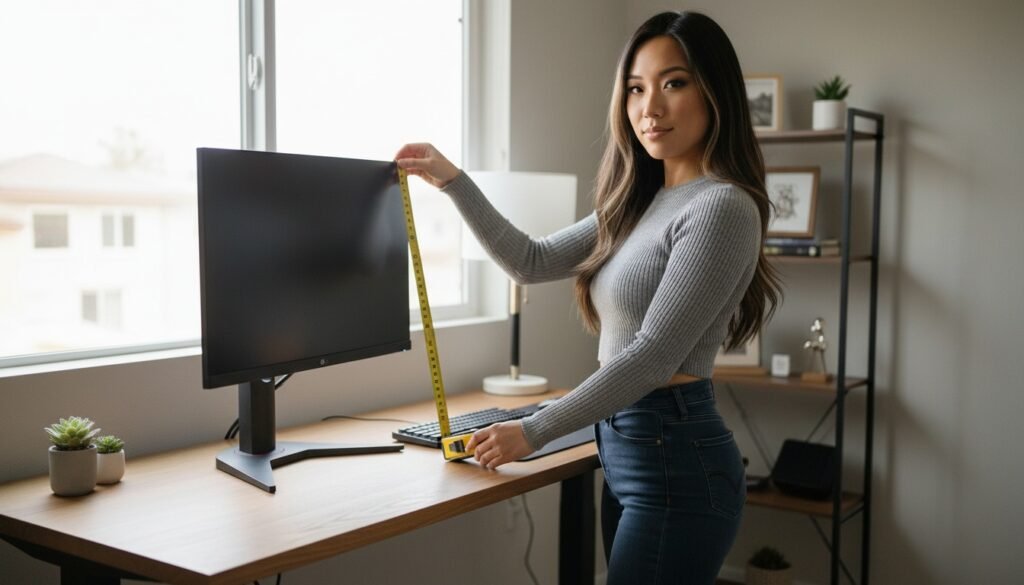
You should set your chair first, your desk second, and your monitor last.
Most people do the exact opposite. They drop a screen onto a fixed 29-inch desk, spin their chair cylinder until their arms reach the keyboard, and spend the rest of the year sliding down their seat. When a desk feels awkward to sit at, the issue is almost never the desk alone. It is the mismatch between three fixed reference points: your feet on the floor, your elbows at the desk surface, and your eye line against the top bezel of your display.
Getting those three numbers right takes about ten minutes with a tape measure. You do not need to buy a new desk to make it work, but you do need to set them in the right sequence.
Step 1: Set Chair Height From the Floor Up
Your chair height determines every other measurement on your desk. If your seat height is wrong, every adjustment you make to your keyboard tray, desk surface, or monitor arm is compensating for a bad base.
Sit back into your chair with your lower back against the backrest. Adjust the gas cylinder until the soles of your shoes rest flat on the floor. Look at the angle of your knees. Your thighs should sit roughly parallel to the floor, with your knees bent at approximately 90 degrees. There should be a small gap—about two or three fingers wide—between the front edge of the seat cushion and the back of your calves.
Once your feet are flat and your thighs are level, take a tape measure and note the distance from the floor to the top of your seat cushion. That is your baseline number. Do not change this number to match your desk. If your desk is too high for this chair position, you raise the desk or use a footrest—you do not raise the chair and leave your legs dangling.
Step 2: Match Desk Surface to Elbow Level
The standard commercial desk height in North America is 29 to 30 inches (73 to 76 cm). That standard was designed in the mid-twentieth century for writing on paper with a pen, not for resting your forearms in front of a mechanical keyboard.
For anyone under six feet tall, a 29-inch desk is usually two to three inches too tall when sitting at the correct chair height. When a desk is too high, your shoulders shrug upward to place your hands on the keys, or your forearms rest heavily against the sharp front edge of the desktop.
How to Find Your Desk Height
With your chair set at your baseline height, relax your shoulders and bend your elbows at roughly 90 degrees, keeping your upper arms vertical alongside your torso. Measure the distance from the floor to the underside of your forearms. That measurement is your target desk surface height.
- If you have a sit-stand desk: Lower the motorized legs until the desktop meets your resting forearm height.
- If you have a fixed 29-inch desk: Raise your chair until your forearms clear the desktop naturally, then place a solid footrest under your feet to restore the flat-foot baseline from Step 1.
- If your desk edge digs into your skin: A standard 3 mm or 4 mm stitched-edge surface like our desk mats softens the transition across the desk perimeter without adding uneven height under your keyboard.
Reference Numbers by Body Height
While limb proportions vary from person to person, standard manufacturing guidelines provide dependable starting numbers. Use this table as a starting point before fine-tuning with a tape measure.
| User Height | Seat Height | Seated Desk Height | Standing Desk Height |
|---|---|---|---|
| 5’2″ (157 cm) | 15.0″ (38 cm) | 22.5″ (57 cm) | 36.5″ (93 cm) |
| 5’6″ (168 cm) | 16.5″ (42 cm) | 24.5″ (62 cm) | 39.5″ (100 cm) |
| 5’10” (178 cm) | 17.5″ (44 cm) | 26.5″ (67 cm) | 42.5″ (108 cm) |
| 6’2″ (188 cm) | 19.0″ (48 cm) | 28.5″ (72 cm) | 45.5″ (116 cm) |
Step 3: Place the Monitor at Eye Level
Once your chair and desk are locked in, position your screen. The most common mistake here is centering the display directly in front of your face. Because humans naturally look slightly downward when relaxed, centering the middle of a 27-inch panel at eye level forces your head upward.
Vertical Alignment
Sit straight in your adjusted chair and look straight ahead at the wall behind your desk. The top horizontal bezel of your monitor should sit directly on that horizontal eye line. When the top of the frame aligns with your horizontal gaze, roughly one-third of the screen sits above your eye level and two-thirds sits below. This gives you full visibility of the panel without tilting your neck back.
Distance and Tilt
Extend your arm straight out in front of you with your palm open. The screen surface should sit roughly at your fingertips, between 20 and 28 inches (50 to 70 cm) away from your eyes. If you use a dual-monitor setup, place the primary display centered directly in front of your keyboard and angle the secondary display slightly inward to match your peripheral arc.
If your monitor came with a basic fixed stand that cannot reach this height, mount it to an adjustable gas-spring arm or place a rigid shelf riser beneath the base. Avoid stacking unstable items like books under a heavy panel.
Fine-Tuning Your Work Surface
After your monitor, desk, and chair are aligned, look down at your horizontal workspace. Your keyboard should sit directly beneath your natural hand position, and your mouse surface should sit on the exact same plane.
If you find your mouse tracking area constantly sliding against bare wood or metal, a full-coverage surface keeps your tracking consistent across the entire reach of your arm. Our mouse pads use a 3 mm natural rubber base with micro-woven polyester tops that stay flat once laid down. We produce every piece on demand within 2 to 5 business days, ship free anywhere in the United States, and cover every order under our 30-day print guarantee.
The first week after setting these three numbers, your desk will feel noticeably different. Take twenty minutes, grab a tape measure, and set the baseline from your feet up.
Lana is MousePady’s brand character — an AI-generated persona created and written by us, not a real person and not a real reviewer. Specifications come from manufacturer data.


Leave a Reply